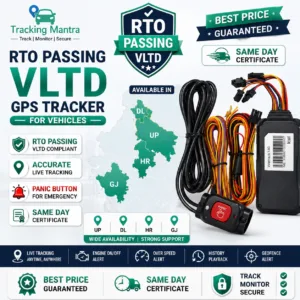
AIS-140 VLTD for buses and commercial fleets
Vehicle owners and fleet operators evaluating an AIS-140 device should start with the vehicle’s legal category and registration details—not just the vehicle body type. A bus, staff vehicle, school vehicle, taxi or goods carrier may fall under different permit and notification conditions.
Check the vehicle category first
Review the registration certificate, permit category, use of the vehicle and registration state. Rule 125H and related orders apply to specified public service vehicles with stated exclusions; other notifications may cover particular goods-vehicle categories. Confirm the current position with the RTO or State Transport Department.
What to verify in the device
- Exact manufacturer and model name
- Type Approval Certificate and current applicable CoP status
- Acceptance/registration in the relevant state backend
- Required connectivity and device-health reporting
- Emergency-button interface and related functions where applicable
- Installation and activation documentation
Bus installation considerations
Plan installation so the device and any required emergency buttons are fitted in the prescribed manner, securely connected and tested. Confirm vehicle-specific wiring, power supply, network coverage and the location of any driver/passenger emergency controls with the authorised installer. Do not modify safety systems or wiring without qualified support.
Commercial fleet considerations
For fleets, maintain a vehicle-wise register of registration number, device IMEI, model, installation date, activation status, service validity and maintenance contact. This helps fleet managers identify inactive devices, incorrect mappings and renewal needs.
Installation and activation checklist
- Confirm vehicle category and applicable rule/state notification.
- Verify the exact approved model and state acceptance.
- Book installation through the manufacturer/authorised dealer.
- Check IMEI-to-registration mapping.
- Complete backend communication and functional testing.
- Collect the applicable activation/fitment report and verify device health.
Explore Tracking Mantra resources
Read our AIS-140 VLTD guide, view bus GPS tracker information and truck GPS tracker information, or contact our team with your vehicle details.
FAQs
Is every bus required to use the same AIS-140 device?
No. Check the vehicle’s category, permit, registration date where relevant, and state requirements.
Can a normal fleet GPS tracker replace an AIS-140 VLTD?
Not where a specific AIS-140-approved VLTD and backend integration are required. Verify model approval and acceptance.
What should a fleet operator retain?
Keep vehicle-wise installation and activation records, model approval details, service records and device health/maintenance information.
General information only. Confirm current applicability and technical requirements with the relevant transport authority.